

"ATS friendly resume" gets repeated so often it starts to sound like a magic formula. Use the right keywords, pick the right template, and the algorithm waves you through. That framing is wrong — and chasing it leads you to optimise for the wrong thing entirely.
This article explains what an applicant tracking system (ATS) actually does, what "ATS friendly" means in practice, and how to test your own CV before you apply. Specific notes for job seekers in Europe are included throughout.
Disclosure: I build Parviso, which is mentioned near the end.
What an ATS Actually Does
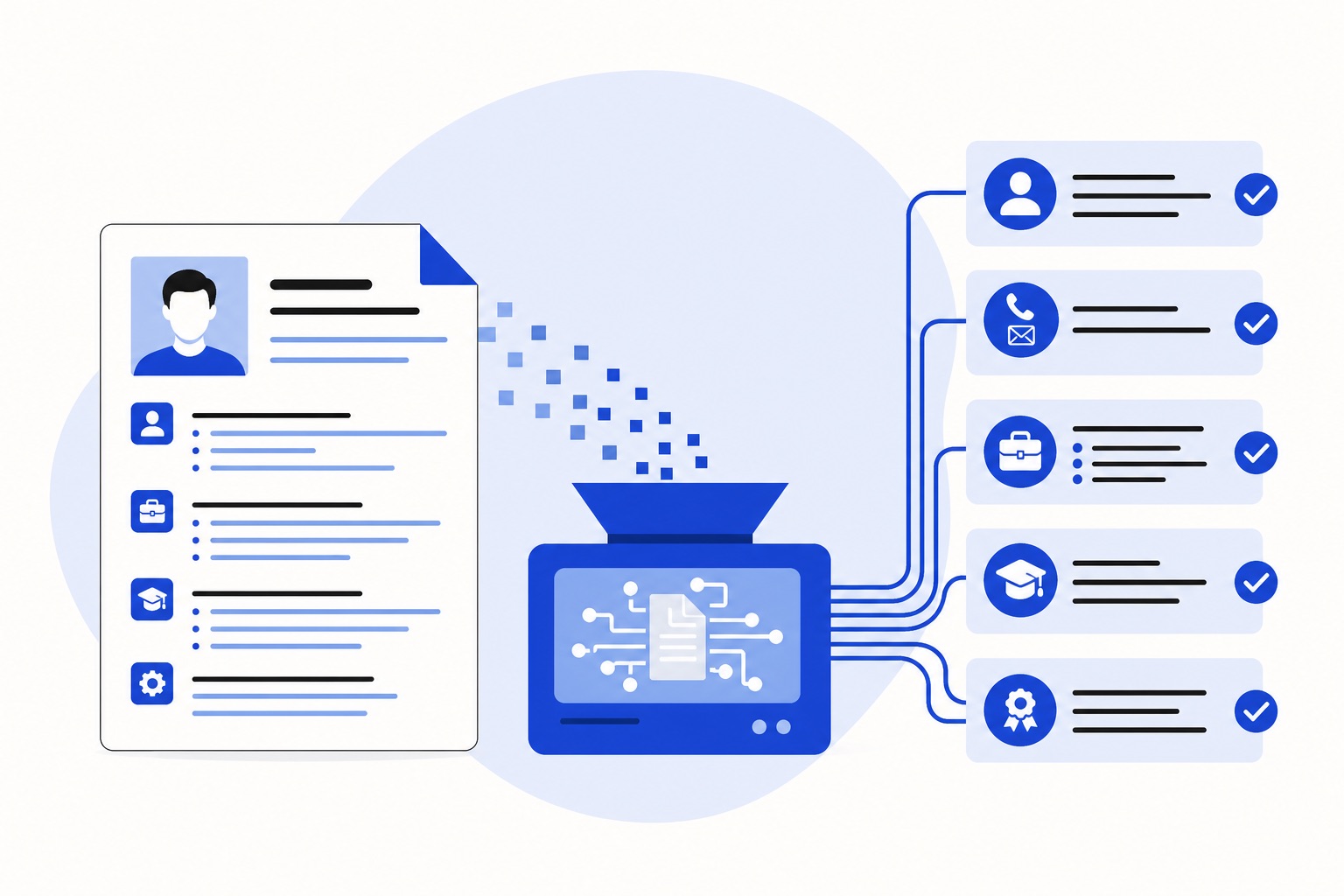
An ATS is software that receives, organises, and stores job applications. When you submit your CV, the system parses it: it extracts your name, contact details, work history, skills, and education, then stores those fields in a structured database.
Recruiters then search and filter that database. They might search for "Python" or "B2 German" or "five years experience" and see which applications surface. The ATS ranks and organises; a person still reads the shortlisted CVs.
That distinction matters. Most ATS systems do not auto-reject your application. They do not silently discard your CV because you used the wrong font. What they do is parse your CV into fields — and if the parsing goes badly, your information ends up in the wrong place or disappears entirely. A recruiter searching for your skills may not find you, not because you were rejected, but because the system could not read what you wrote.
"ATS friendly" means parseable, not passable.
The Practical Rules for a Parseable CV
Use a single-column layout
Multi-column layouts look clean on screen, but many parsers read a page left to right, top to bottom in a single pass. A two-column CV often produces scrambled output: a skill from the right column gets inserted mid-sentence into a job description on the left.
Single column, top to bottom. That is the safe structure.
Make your text selectable
Open your CV file and try to highlight a word with your cursor. If you cannot select the text, the file is an image or a scanned document — and an ATS cannot extract text from an image. It will either return a blank record or extract nothing useful.
If your CV was built in a design tool that exports a flattened PDF, or if you scanned a printed copy, your text is not selectable. Rebuild it in a word processor.
Use standard section headings
Parsers are trained on common heading names. "Work Experience", "Education", "Skills", and "Languages" are recognised reliably. Headings like "My Journey", "What I Bring", or "Core Competencies" may not map to the expected fields.
Use the obvious label. The recruiter reading your CV will not think less of you for writing "Work Experience" instead of something more creative.
Keep critical information out of headers, footers, and text boxes
Many parsers ignore content inside page headers and footers entirely. If your name, phone number, or email address only appears in the document header, it may not show up in your parsed record at all. The same applies to text boxes and floating shapes.
Put your contact details in the main body of the document, not anchored to the page margin.
Avoid tables for layout
Tables are fine for presenting data — a language proficiency table, for example. The problem is using them for layout: two columns of skills side by side, or a header section with your name on the left and contact details on the right. Parsers often read table cells in an unpredictable order.
If you are using a table to control how the page looks, replace it with plain text.
Standard fonts only
Decorative or uncommon fonts sometimes embed as outlines rather than text characters. When that happens, the parser sees shapes, not letters. Arial, Calibri, Georgia, and Times New Roman are safe choices.
PDF or DOCX: follow the job post instructions
Both formats can parse well when the file is built correctly. Advice differs: some say DOCX suits older systems, others prefer a text-based PDF because it keeps your layout. What everyone agrees on is that the text must be selectable.
If the job post specifies a format, use that format. If it does not, a text-based PDF or a DOCX both work; keep the other version ready for older portals. The ATS resume format guide goes into the details.
ATS Resume Keywords: What They Are and How to Use Them Honestly
Keywords are the terms a recruiter is likely to search for: skills, tools, job titles, qualifications, and sometimes specific phrases from the job post itself.
The honest approach is also the effective one. Read the job post carefully. Note the specific terms used — not just "data analysis" but "Power BI" if that is what they wrote. Not just "project management" but "Agile" or "PRINCE2" if those appear. Use those exact terms in your CV where they reflect genuine experience.
What you should not do is paste a hidden block of keywords in white text, or list every tool you have heard of. Recruiters read the CVs that surface, and a CV that claims every skill in the post but cannot back them up in the work history will not progress.
The gap to close is between the language you use and the language the job post uses. If you have managed cross-functional teams but the post says "stakeholder management", use "stakeholder management" in your CV. The skill is the same; the vocabulary matters for both parsing and search.
European Specifics Worth Knowing
Europass templates
Europass is widely used across the EU, particularly for public sector roles and academic applications. Some Europass-style templates use tables or columns, which can cause the parsing problems described above, but this depends on the template and the system.
If a role specifically requests Europass, use it, and check the extracted text with the test below. If the application does not require it, a clean single-column CV is the lower-risk choice.
Photo and personal details
Norms vary by country. In Germany and Austria, a professional photo is still common. In the Netherlands and the UK, photos are generally omitted. The same goes for date of birth: expected by some employers, discouraged by others.
Match your CV to the country and sector you are applying in. When in doubt, check the job post for signals about what the hiring team expects.
Language of the CV
Write your CV in the language of the job post. If the post is in German, submit in German. If it is in English, submit in English. An ATS searching for "Projektmanagement" will not surface a CV that only says "project management", even if the underlying skills are identical.
If you are applying to a multilingual role or an international company posting in English from a non-English-speaking country, English is usually the right choice. When the post is in the local language, match it.
EU work permit and language levels
If the role requires an EU work permit or a specific language level, include that information explicitly. Write your language levels using the Common European Framework of Reference (CEFR) scale: A1 through C2. "Fluent German" is vague; "German C1" is a searchable, parseable value.
How to Test Your CV Before You Apply
The simplest test takes about two minutes and requires no tools.
Open your CV file. Press Ctrl+A (or Cmd+A on a Mac) to select all text, then copy and paste it into a plain text editor — Notepad on Windows, TextEdit in plain text mode on a Mac, or anything similar.
What you see in that plain text view is roughly what a parser extracts. Look at it critically:
- Does your name appear at the top, or is it missing?
- Are your job titles and employers readable and in the right order?
- Do your dates appear correctly, or are they scrambled?
- Is any text missing entirely?
If the output is garbled or incomplete, a parser will have the same problem. Fix the source file before you apply.
The second step is to read the job post requirement by requirement and check your CV against each one. Does your CV show the required experience? Does it use the same terms? Are there requirements you meet but have not mentioned?
This is the gap analysis: not whether your CV looks good, but whether it demonstrates what the post is asking for.
Where a Tool Can Help
The manual test above tells you whether your CV is parseable. It does not tell you how well your CV addresses a specific job post, or which gaps matter most.
Parviso runs that second check. You paste your CV and the job post, and it shows you a plain-text view of what was extracted from your CV, a ranked list of requirements your CV does not address — with quotes from both documents as evidence — and a fit verdict: Strong fit, Possible fit, Long shot, or Blocked.
The scan is free. No account is needed to run it, and no card is required. Your CV is read in memory and not stored. If you want to keep a history of your scans, a free account saves 90 days of results.
The methodology is published openly at parviso.app/methodology if you want to understand how the analysis works.
The Limits of Any Checker
No tool, including Parviso, replicates exactly what a specific ATS does with your CV. There are many ATS products in use across Europe, each with its own parsing logic and configuration. What a checker can do is flag likely problems and surface gaps between your CV and the job post. What it cannot do is guarantee a particular outcome or predict how a specific system will handle your file.
Use a checker as a diagnostic, not as a pass/fail gate. If it surfaces a gap you can honestly close, close it. If it flags something that does not apply to your situation, use your judgement.
The recruiter reading your CV is a person. A parseable CV gets your information into the database correctly. A well-matched CV gets a person to read it. Both matter.
FAQs
Does an ATS automatically reject my CV if it is not formatted correctly? Most ATS systems do not auto-reject. They parse your CV into a structured record, and recruiters search and filter that record. If parsing goes badly, your information may end up in the wrong fields or be missing entirely — which means you may not surface in a search. That is not the same as rejection, but the practical effect can be similar.
Is Europass ATS friendly? Some Europass-style templates use tables or columns, which can cause parsing problems in some systems. If a role requests Europass, use it and check the extracted text. For other applications, a clean single-column CV is the lower-risk choice.
Should I submit my CV as a PDF or a DOCX? Follow the instructions in the job post. If no format is specified, a text-based PDF or a DOCX both work, as long as the text is selectable and the file is not a flattened image.
How do I know which keywords to include? Read the job post carefully and note the specific terms used for skills, tools, and qualifications. Use those exact terms in your CV where they reflect genuine experience. The goal is to match the language of the post, not to compile every keyword you can find.
Do degree requirements matter if I have equivalent experience? It depends on the role. In many private-sector roles, direct experience is accepted in place of a formal degree, and requirements listed in a post are sometimes negotiable. In regulated professions such as medicine, law, and engineering, degree requirements are typically enforced. Check the specific requirements for the sector and country you are applying in.
Should I include a photo on my CV in Europe? Norms vary by country. A photo is still common in Germany and Austria. In the Netherlands and the UK, photos are generally omitted. Match your CV to the country and sector you are applying in.
Can I write my CV in English for a role posted in another language? Write your CV in the language of the job post. If the post is in French, submit in French — an ATS searching for French-language terms will not reliably surface a CV written only in English. If the post is in English, English is the right choice regardless of the country.