

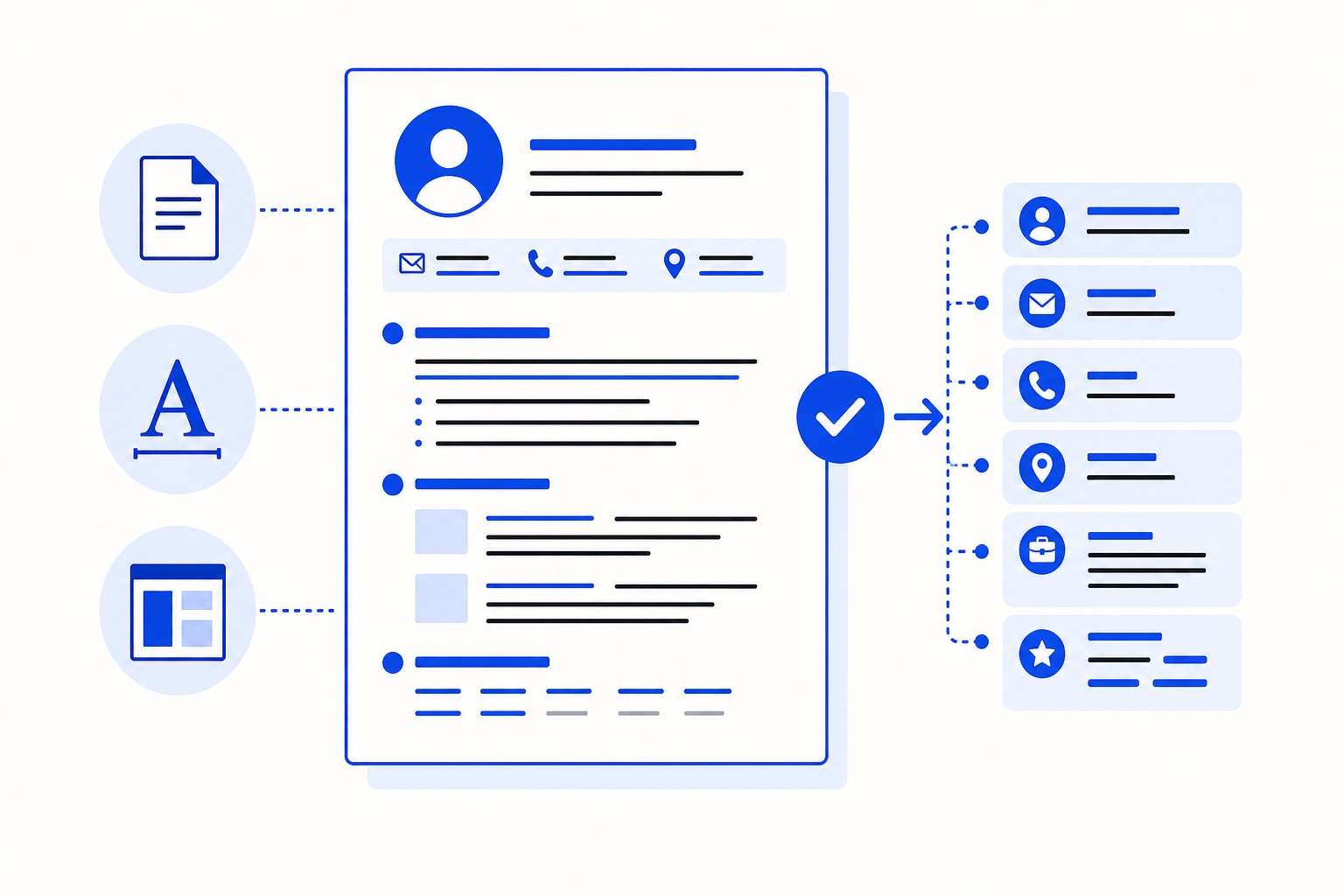
The ATS resume format question has nothing to do with aesthetics. It comes down to whether the software reading your CV can extract your name, job titles, skills, and dates — or whether it pulls out garbled text, skips sections, or reads a table as one undifferentiated block.
This article covers the concrete decisions: file type, page structure, section headings, fonts, contact detail placement, and how to check what was actually extracted before you apply. If you want to understand why parsing fails in the first place, What the ATS Sees When It Reads Your CV covers that ground. This article is about the format choices themselves.
Disclosure: I build Parviso, which is mentioned near the end.
The One-Glance Checklist
Every item below is explained in the sections that follow.
- File type: DOCX or a text-based PDF (not scanned, not image-only)
- Layout: Single column. No tables, no text boxes, no columns
- Section headings: Plain text, standard labels — Work Experience, Education, Skills
- Fonts: Web-safe, standard weight — Arial, Calibri, Georgia, or similar
- Body text size: 10–12pt. Headings: 14–16pt
- Contact details: In the body of the document, not in a header or footer
- Dates: Consistent format throughout (e.g. 03/2021 – 09/2023)
- Length: One or two pages for most mid-career CVs; three only if the role genuinely requires it
- Europass: Use it when the employer requires it; check the extracted text either way
File Type: Where Advice Genuinely Conflicts
Ask ten career advisers which file format to use and you will get two camps.
One says DOCX is safest — older applicant tracking systems (ATS) were built around Word documents and parse them most reliably. The other says a text-based PDF is the better default because it preserves your formatting across devices and cannot be accidentally edited.
Both positions have merit. The one point every source agrees on: the file must contain selectable text. A scanned CV saved as a PDF is an image. An ATS cannot read it. Neither can a PDF exported from a design tool that embeds text as paths rather than characters.
The practical rule: follow the job posting's instructions first. If it says PDF, send a PDF. If it says DOCX, send DOCX. If it says nothing, a text-based PDF is a reasonable default for most modern systems — but keep a DOCX version ready for older portals or direct email applications.
To check whether your PDF contains selectable text, open it, press Ctrl+A (or Cmd+A on a Mac), and paste the selection into a plain text editor. If readable text appears, the file is parseable. If you see symbols, gibberish, or nothing at all, it will not parse cleanly.
Layout: Single Column, No Tables, No Text Boxes
The single most reliable layout decision you can make is a single-column page.
Two-column CVs are common in Europe, particularly in design-adjacent fields, and they often look polished. The problem is that many ATS systems read left to right across the full page width before moving down. A two-column layout can cause the system to mix content from both columns into a single stream — your job title from the left appearing next to a skill from the right, with no logical connection between them.
Tables cause a similar problem. If you have built your CV using a table to align dates on the left and descriptions on the right, the ATS may extract the entire table as a single cell, or skip it entirely. The same applies to text boxes: content inside a text box is often invisible to a parser.
The fix is straightforward. Use a single column. Use tabs or spacing to align dates if needed — not a table. Keep all content in the main body of the document.
Avoid putting anything substantive in headers or footers. Some ATS systems do not read content placed in a Word document's header or footer region at all. Your name, email address, and phone number belong in the body.
Section Headings: Standard Labels Win
ATS systems are trained to recognise certain section labels. "Work Experience", "Education", "Skills", "Languages", and "Certifications" are understood by virtually every system. Creative alternatives — "Where I've Been", "My Story", "What I Bring" — are not.
This does not mean your CV has to read like a form. The content inside each section can be specific and well-written. The heading itself should be conventional.
A few practical notes:
- Write headings in plain text, not as an image or stylised graphic
- Use a consistent heading style throughout — same font, same size, same weight
- Avoid all-caps if your font renders it poorly at smaller sizes
- A clear visual hierarchy — larger heading, smaller body text — helps both the parser and the recruiter
Fonts, Size, and Bullets
Common fonts are the safe choice for CV body text: Arial, Calibri, Garamond, Georgia and Times New Roman. These fonts render predictably across systems and do not require the reader's device to have a specific font installed.
Body text at 10–12pt is readable at standard screen and print sizes. Headings at 14–16pt create a clear hierarchy without pushing content onto an extra page.
On bullets: use standard bullet points (•), not custom symbols or decorative characters from extended character sets. Some parsers handle non-standard characters poorly and will either skip the bullet or render it as a question mark or box. Keep each bullet to one idea. A bullet that runs to four lines is a paragraph in disguise.
Contact Details: Body Only, Not Header or Footer
Your name, email address, phone number, and location belong in the body of the document — not in the Word header or footer region.
This is a specific technical point, not a design preference. Word's header and footer are separate content regions, and a number of ATS systems parse only the main body. If your contact details live in the header, the system may process your CV with no name attached.
Place your contact details at the top of the body, before your first section heading. A line or two is enough: name, email, phone, city (not full address), LinkedIn URL if relevant.
On photos and date of birth: norms vary across Europe. Some employers in Germany, Spain, or France may expect a photo; others explicitly ask you not to include one. Check the employer's instructions and local norms rather than applying a single rule. Neither a photo nor a date of birth affects ATS parsing, but both are worth a moment's thought before you apply.
Dates and CV Length
Use a consistent date format throughout. "03/2021 – 09/2023" is clear and compact. Mixing formats — "March 2021 to September 2023" in one role and "03/2021 – 09/23" in another — creates ambiguity for both the parser and the recruiter.
For current roles, "03/2024 – Present" is understood by most systems. Avoid "ongoing" or "now"; these are less reliably parsed.
On length: one page is a constraint, not a virtue. Two pages is the norm for most mid-career CVs with ten or more years of experience. Three pages is defensible for senior technical roles, academic CVs, or roles in regulated professions where certifications and publications matter. Beyond three pages, you are asking the recruiter to do more work than the role warrants.
Europass: Use It When Required, Check the Output
Europass is the standardised CV template promoted by the European Commission. It is widely used in public sector applications, academic roles, and some regulated professions across EU member states. Some employers, especially in the public sector, explicitly request it.
Some vendor articles — from companies that sell CV parsing tools — claim that Europass's table-based layout often parses badly in commercial ATS systems. That argument comes from people with a commercial interest in you not using Europass, so treat it as one data point rather than a settled fact. ATS behaviour varies significantly by system and configuration.
The practical position: use Europass when the employer requires it. When you do, check the extracted text yourself — the same Ctrl+A test described above will tell you whether the content is selectable and readable. If a tool gives you a plain-text preview of what was extracted, use it.
How to Check Your Format Before You Apply
Formatting advice is only useful if you can verify it. There are two things worth checking before every application.
The selectable text test. Open your CV file, select all, copy, and paste into a plain text editor. What you see there is roughly what a parser will extract. Missing sections, scrambled dates, or merged content from two columns will all show up here.
A structured parse preview. Parviso takes your uploaded CV (PDF or DOCX) and a pasted job posting, then shows you a plain-text ATS preview of what was extracted from your CV — including a parse integrity check for headings, columns, and contact fields. It also shows which requirements from the job posting your CV does not currently address, ranked by importance, with quotes from both documents as evidence. The complete scan is free, no account needed, and your CV is read in memory and not stored. If you create a free account, your scan history is kept for 90 days. The analysis runs on Microsoft Azure in Germany. The methodology is documented at parviso.app/methodology.
Other tools offer similar plain-text previews. The point is to look at the extracted output, not just the formatted document. What looks clean on screen may not parse cleanly.
FAQs
Is DOCX always safer than PDF for ATS parsing? Not always. DOCX is safer for older systems built around Word documents. A text-based PDF is reliable on most modern ATS platforms. The job posting's instructions take priority over either preference. The one rule that applies everywhere: the file must contain selectable text, not scanned or image-based content.
Can I use a two-column CV layout in Europe? You can, but it carries a parsing risk. Many ATS systems read across the full page width and can merge content from both columns into a single stream. If you use a two-column layout, check the extracted text carefully before applying through an online application portal.
Where should I put my name and contact details? In the body of the document, at the top, before any section heading. Not in the Word header or footer region. Some ATS systems do not read header and footer content, which means your name may not be attached to your CV in the system.
Does Europass parse badly in ATS systems? Some sources claim it does, because of its table-based structure. Those sources often sell CV tools, so the claim is worth treating carefully. ATS behaviour varies by system. Use Europass when an employer requires it, and check the extracted text yourself to see what was actually parsed.
What section headings should I use? Standard labels: Work Experience, Education, Skills, Languages, Certifications. These are recognised by virtually every ATS. Creative or informal headings — "What I Bring", "My Journey" — are not reliably parsed and are worth avoiding.
Do fonts affect ATS parsing? Directly, no — most parsers read the underlying text, not the visual rendering. But unusual fonts can cause encoding issues in some systems, and very small text can be cut off in a plain-text extraction. Web-safe fonts at 10–12pt body size are a safe, low-risk choice.
How long should a mid-career CV be? Two pages covers most mid-career professionals with ten or more years of experience. Three pages is reasonable for senior technical roles or regulated professions. Length matters less than relevance — every line should earn its place against the specific role you are applying for.
Run the free format and fit check at parviso.app/check — no account needed, takes about a minute.